


YuzuLingo vs YomiNinja
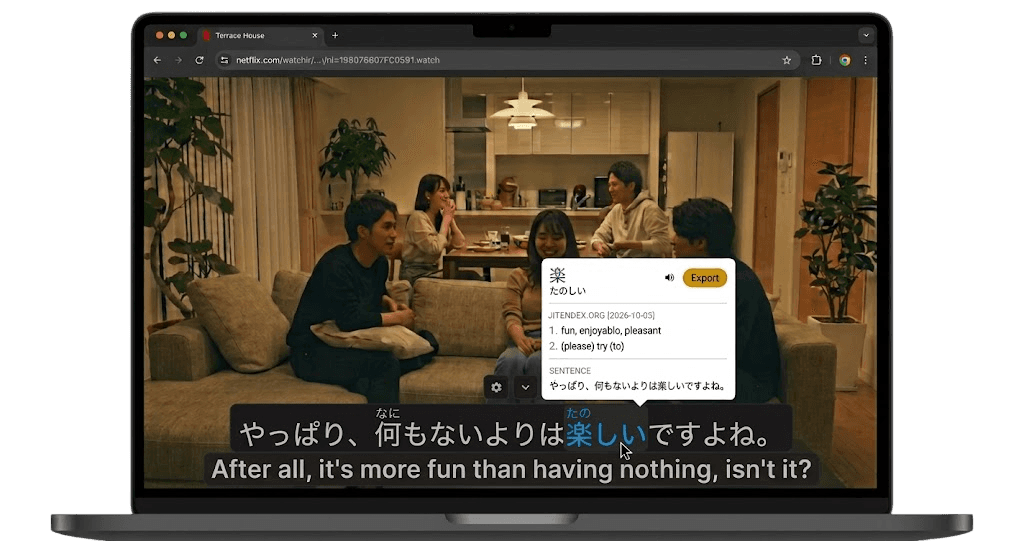
YuzuLingo stays in the browser. Install the extension, cover burned-in subtitles, and look words up with YuzuLingo’s own dictionary popup on the recognized line. Hold a modifier and hover any page text for the same popup. Dictionaries use Yomitan-format zips on this device. There is no desktop app to download.
YomiNinja is a desktop app. It reads text in any window, including games and manga, and looks words up with Yomitan or 10ten.
 GitHub - matt-m-o/YomiNinja: Open-source OCR and dictionary tool.
Where each one fits
| Feature | YuzuLingo | YomiNinja |
|---|---|---|
| Install in the browser, no desktop app download | ||
| More than one blur or cover zone on the same video | ||
| Blur or cover burned-in subs for listening practice | ||
| OCR a zone on a web video without a desktop app | ||
| OCR a game, visual novel, manga, or any window | ||
| Popup dictionary | ||
| Hold a modifier and hover page text to look it up | ||
| Readings on the recognized line (furigana, pinyin, IPA…) | ||
| Japanese, Chinese, and Korean | ||
| Spanish hardsubs | ||
| OCR that stays on the device | ||
| Cloud OCR (Google Vision or Lens) | ||
| Text to speech | ||
| Anki export |