


YuzuLingo vs Migaku
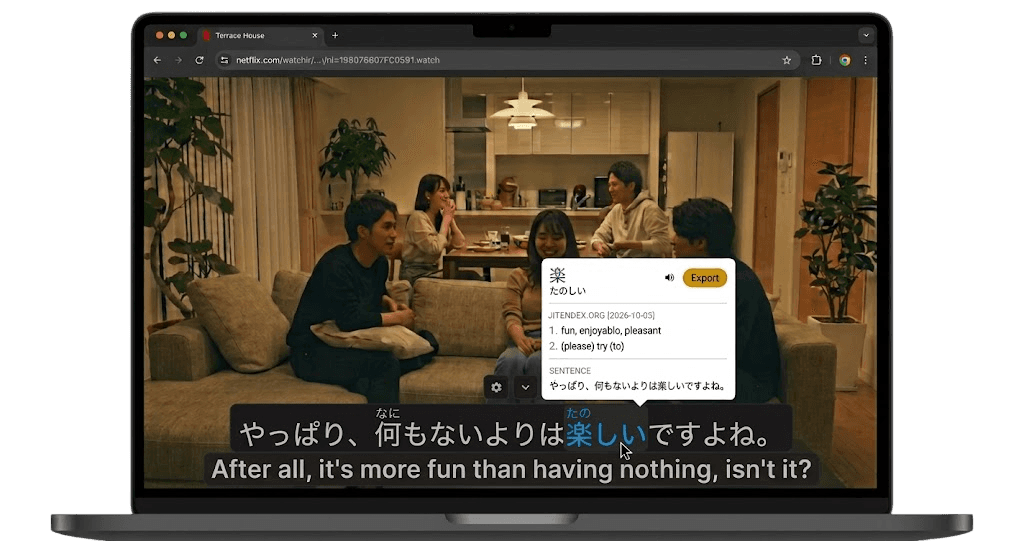
YuzuLingo stays in the browser. Cover burned-in subtitles, load Soft tracks on YouTube, Bilibili, Netflix, and Amazon Prime, look words up with the built-in dictionary popup, and Save into native flash cards. Review on the website with Pass / Fail. The Review Queue hub shows due state, Start Review Session, vocabulary progress by maturity status, a 7-day forecast, and retention against your target. You can edit each system deck’s name, description, and cover image. It runs in Firefox as well as Chrome.
Migaku is an immersion learning product (browser extension plus Migaku Memory). You parse interactive subtitles and page text, look words up, and create media-rich flashcards in one click. Memory schedules reviews with spaced repetition on the web and on iPhone / Android apps, and it can import Anki decks into Migaku card types. Hardsub pixels still need a separate OCR path when there is no Soft track.
 Migaku - The fastest way to really learn a language
Where each one fits
| Feature | YuzuLingo | Migaku |
|---|---|---|
| Works in Firefox as well as Chrome | ||
| Built-in spaced repetition on the website | ||
| Pass / Fail review grades (Show answer, then Pass or Fail) | ||
| Review Queue hub (new / due / caught up, Start Review Session, forecast, retention target) | ||
| Vocabulary progress by maturity status (Incidental / Looked up / Learning / Known / Suspended) | ||
| Edit system deck name, description, and cover image | ||
| Cover and read burned-in hardsubs with on-device OCR | ||
| Mine Soft captions on Netflix and YouTube | ||
| Dedicated mobile flashcard app for reviews | ||
| Import Anki decks into the product’s own card types |