


YuzuLingo vs SoftSubs (jrachele)
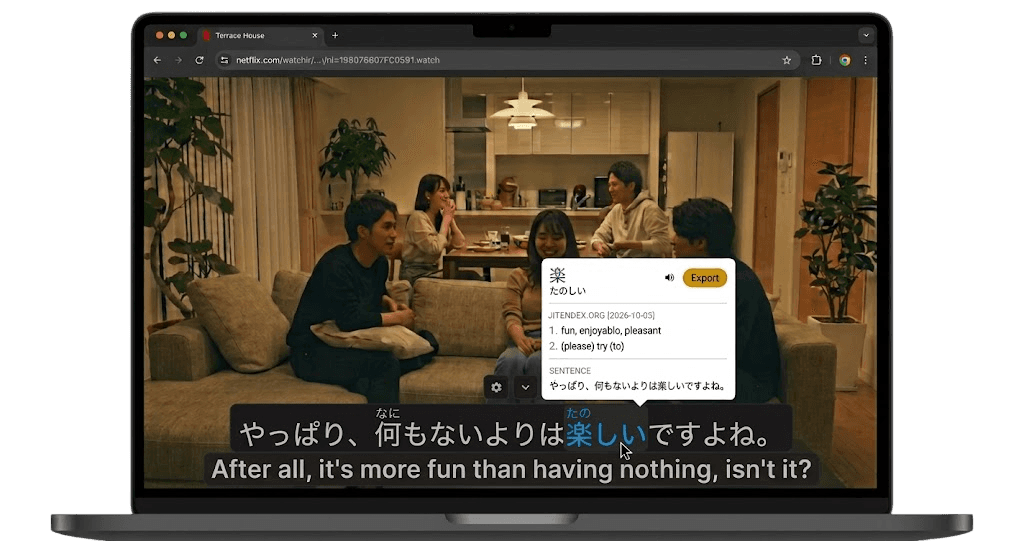
YuzuLingo covers burned-in subtitles on the video you are already watching, including YouTube, Bilibili, Netflix, Amazon Prime, and other web players. Soft caption tracks on YouTube, Bilibili, Netflix, and Amazon Prime load as Soft sub lines without a zone. You do not download the video, and you do not run a separate OCR server. Turn on Interact to read the burned-in line while it plays, on your device, with readings such as furigana, pinyin, romanization, or IPA when that language has them. Hold a modifier and hover any page text for YuzuLingo’s dictionary popup. Show that text always, on hover, or while you hold a hotkey. It runs in Firefox as well as Chrome.
SoftSubs is jrachele’s Chrome extension in the repo soft-subs. You load it unpacked and run a local PaddlePaddle server on Python 3.9. When you pause, it OCRs the hard subs into selectable text for a screen reader, Yomichan, or the clipboard. The last commit is about three years ago, and there is no release. It does not cover the line, and it does not load site Soft caption tracks.
 GitHub - jrachele/soft-subs: Converts hard subtitles to soft subtitles when you pause a video
Where each one fits
| Feature | YuzuLingo | SoftSubs |
|---|---|---|
| Show Soft caption tracks live on YouTube, Bilibili, Netflix, and Amazon Prime | ||
| Cover burned-in subs while the video plays | ||
| Read that line while the video is playing, on your device | ||
| No video file to download | ||
| Readings on that line (furigana, pinyin, IPA…) | ||
| Show that text always, on hover, or while you hold a hotkey | ||
| Turn the burned-in line into selectable text when you pause | ||
| Selectable text for a screen reader, Yomichan, or the clipboard | ||
| Hold a modifier and hover page text to look it up | ||
| No separate OCR server to run | ||
| Works in Firefox as well as Chrome | ||
| Install from the browser store (no developer mode) | ||
| Add the line to an Anki deck |