
YuzuLingo vs macSubtitleOCR (jeffalldridge)
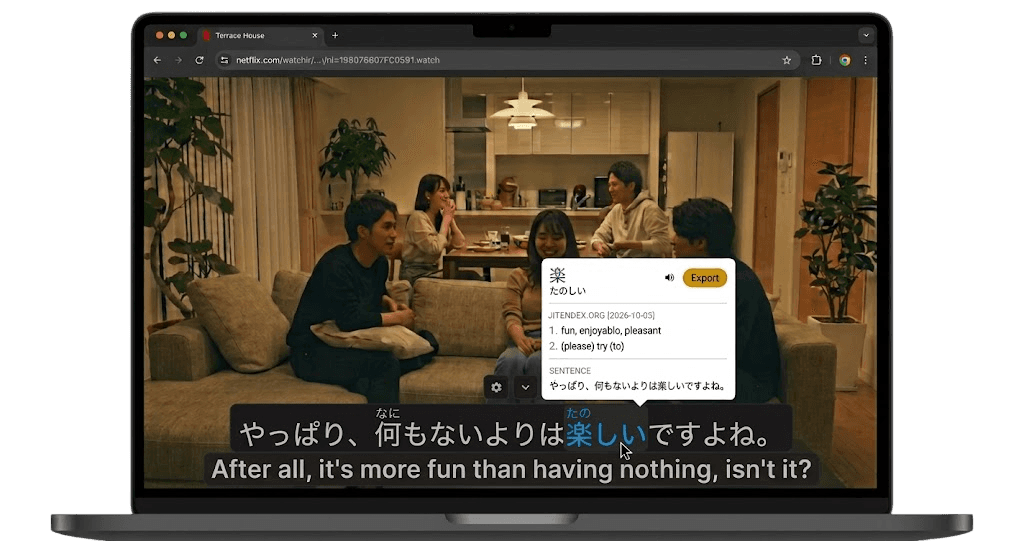
YuzuLingo stays in the browser. You cover burned-in subtitles on the video you are already watching, including YouTube, Bilibili, and other web players. There is no video file to download. Turn on Interact to read the burned-in line on your device, with readings such as furigana, pinyin, romanization, or IPA when that language has them. Show that text always, on hover, or while you hold a hotkey.
macSubtitleOCR is jeffalldridge’s Mac app, in the repo macSubtitleOCR-gui. You drop a local .mkv, .mks, .sup, .sub, or .idx file. It reads PGS and VobSub bitmap subtitle tracks with Apple’s Vision framework and writes an SRT. You tick the tracks you want, including a whole folder. Each cue shows the bitmap next to the text, and unsure cues are flagged. You can fix the line, and the SRT updates as you type. Clean Up and Translate stay on the Mac when Apple Intelligence is available, and nothing is applied until you accept it. The README asks for macOS 15 or newer, on Apple silicon or Intel. The GitHub description says macOS 14 or newer and Apple silicon. The published app is a signed universal disk image. The latest release is v1.0.0. The last commit was on 10 September 2026. MIT. The engine comes from ecdye’s macSubtitleOCR. It does not cover a web video, and it does not read text that is already burned into the picture.
 GitHub - jeffalldridge/macSubtitleOCR-gui: Drop a Blu-ray rip into a SwiftUI window, get clean .srt files. PGS/VobSub OCR powered by Vision and macSubtitleOCR. macOS 14+, Apple Silicon.
Where each one fits
| Feature | YuzuLingo | macSubtitleOCR |
|---|---|---|
| Install in the browser, no desktop app to set up | ||
| No video file to download | ||
| Cover burned-in subs while a web video plays | ||
| Read that burned-in line while the web video plays, on your device | ||
| Readings on that line (furigana, pinyin, IPA…) | ||
| Show that text always, on hover, or while you hold a hotkey | ||
| Read PGS and VobSub bitmap tracks from a local file | ||
| Pick the tracks, including a whole folder | ||
| Write an SRT and fix cues next to the bitmap | ||
| Add the line to an Anki deck |