

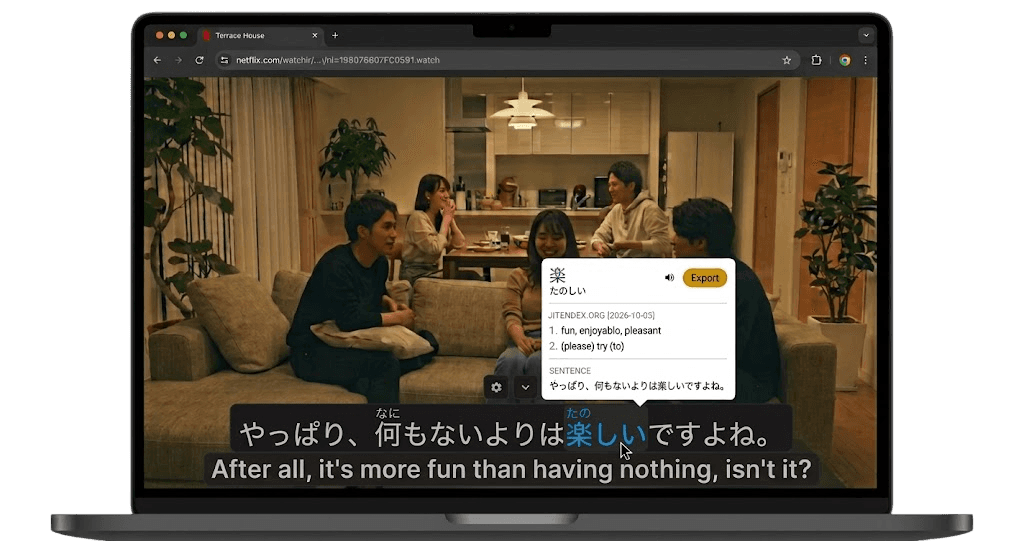

YuzuLingo vs Anki
YuzuLingo stays in the browser. Save words from Soft captions or burned-in lines into native flash cards, then review on the website with Show answer → Pass / Fail. The Review Queue hub shows new / due / caught up, Start Review Session, vocabulary progress by maturity status, a 7-day forecast, and 30-day retention against your target (default 80%, Pro can change it). System decks (Video immersion and Page browsing) let you edit name, description, and cover image. Anki remains optional for power users.
Anki is a free, open-source spaced-repetition flashcard program (desktop, mobile, and AnkiWeb sync). You build or import decks, grade with Again / Hard / Good / Easy (or custom), and control intervals, templates, and add-ons. It does not mine Soft or hardsubs in the browser by itself — immersion tools export into Anki.
 Anki - powerful, intelligent flashcards
Where each one fits
| Feature | YuzuLingo | Anki |
|---|---|---|
| Built-in spaced repetition on the website (no Anki Desktop required) | ||
| Mine immersion cards from Soft or hardsubs in the browser | ||
| Pass / Fail review grades (Show answer, then Pass or Fail) | ||
| Review Queue hub (new / due / caught up, Start Review Session, forecast, retention target) | ||
| Vocabulary progress by maturity status (Incidental / Looked up / Learning / Known / Suspended) | ||
| Edit system deck name, description, and cover image | ||
| Practice ahead or study by arbitrary deck filters | ||
| Full SM-2 / FSRS interval and template control | ||
| Desktop and mobile Anki apps with offline review | ||
| Export immersion cards into Anki |