

YuzuLingo vs mpv2anki (alyssabedard)
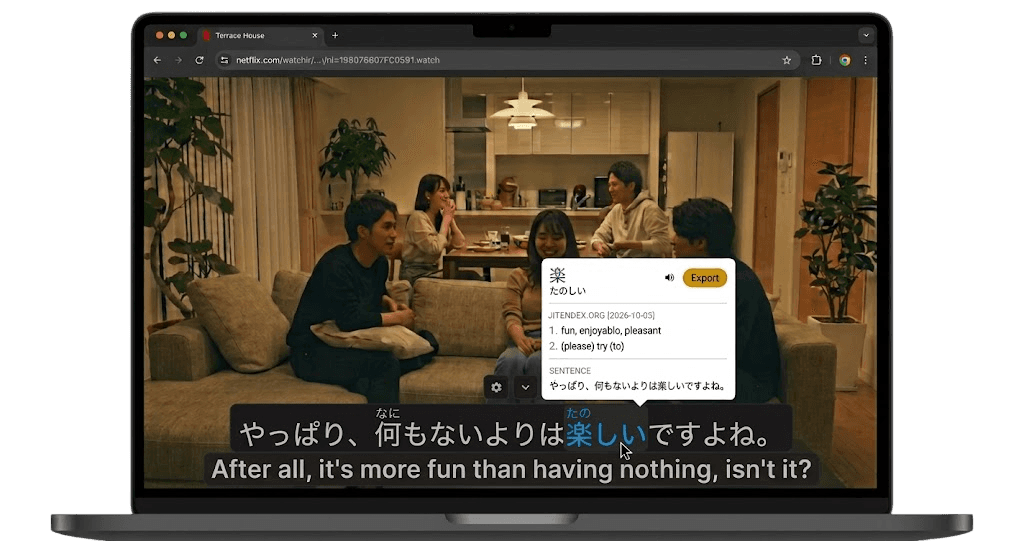
YuzuLingo stays in the browser. You cover burned-in subtitles on the video you are already watching, including YouTube, Bilibili, and other web players. There is no video file to download. Turn on Interact to read the burned-in line on your device, with readings such as furigana, pinyin, romanization, or IPA when that language has them. Show that text always, on hover, or while you hold a hotkey.
mpv2anki is alyssabedard’s script for mpv, in the repo mpv2anki. You open a local video that already has a subtitle file. Shift+d pauses and opens Anki’s Add window with the current line, a second subtitle when one is loaded, an audio clip, and a screenshot. The card is added when you confirm. Adding the card without that window is listed as planned. Audio follows the subtitle times, and it only works on a local file. Stream support is planned. For streams, the README points at Abs Player. The default screenshot is the picture without subtitles. You can switch it to include them. It has been tested mainly on macOS. Windows and Linux are in the guide. The latest release is v2025.10.26. The last commit was on 26 October 2025. MIT. It does not cover a web video while it plays, and it does not read text that is already burned in.
 GitHub - alyssabedard/mpv2anki: Simple MPV script for Anki flashcards creation. Automatically capture subtitles, audio clips, and screenshots while watching videos in MPV.
Where each one fits
| Feature | YuzuLingo | mpv2anki |
|---|---|---|
| Install in the browser, no media player to set up | ||
| No video file to download | ||
| Cover burned-in subs while a web video plays | ||
| Read that burned-in line while the web video plays, on your device | ||
| Readings on that line (furigana, pinyin, IPA…) | ||
| Show that text always, on hover, or while you hold a hotkey | ||
| A second subtitle track | ||
| Open Anki’s Add window with the line, audio, and a picture | ||
| Add the line to an Anki deck |