

YuzuLingo vs Blur (AleksandrHovhannisyan)
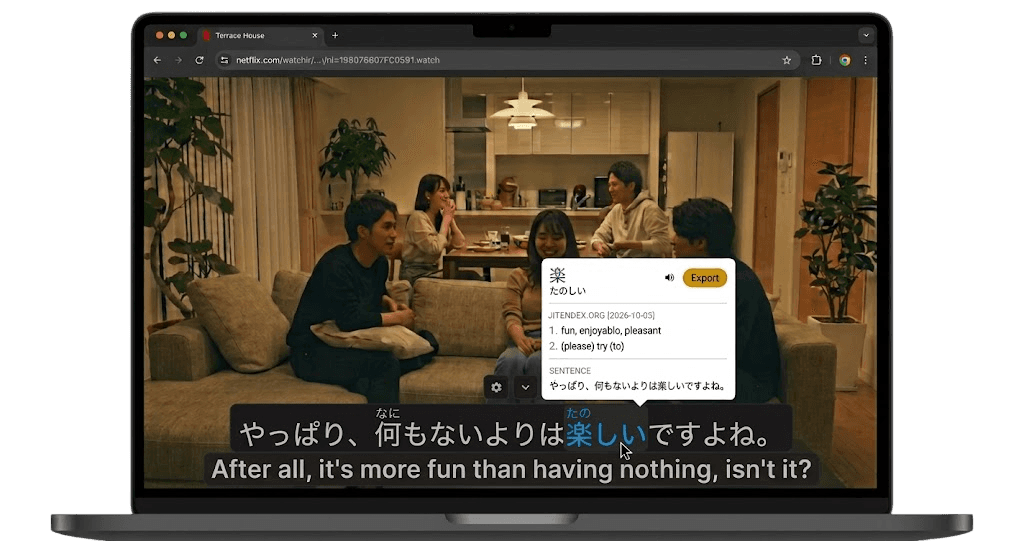
YuzuLingo stays in the browser. You cover burned-in subtitles on the video you are already watching, including YouTube, Bilibili, and other web players. It runs in Firefox as well as Chrome. Turn on Interact to read the burned-in line on your device, with readings such as furigana, pinyin, romanization, or IPA when that language has them. Show that text always, on hover, or while you hold a hotkey.
Blur is AleksandrHovhannisyan’s extension, in the repo blur. You highlight text or media, then choose Blur from the right-click menu. The popup sets the blur strength. Text you highlight is wrapped and blurred. If the selection includes an image, a video, or an iframe, that whole element is blurred. It does not draw a box over a subtitle band on a playing video. The README says it cannot blur SVG icons, background images, text inputs, or anything you cannot highlight. A reload clears the blur. Syncing the setting to the browser profile is still an unchecked nice-to-have. It is in the Firefox add-ons store and the Chrome Web Store. The last commit was in January 2025. There is no GitHub release. MIT license.
 GitHub - AleksandrHovhannisyan/blur: Browser extension that lets you blur highlighted text and media.
Where each one fits
| Feature | YuzuLingo | Blur |
|---|---|---|
| Install from the browser store | ||
| Works in Firefox as well as Chrome | ||
| Cover burned-in subs while a web video plays | ||
| Read that burned-in line while the web video plays, on your device | ||
| Readings on that line (furigana, pinyin, IPA…) | ||
| Show that text always, on hover, or while you hold a hotkey | ||
| Blur the text you highlight on a page | ||
| Blur a selected image, video, or iframe as a whole element | ||
| Blur strength you can adjust | ||
| A solid cover as well as blur | ||
| The blur comes back after you reload the page | ||
| Add the line to an Anki deck |